
Six seconds. That’s roughly how long it takes for a slow checkout page to lose a customer before the payment form even finishes loading. Most teams chase the wrong fix first: another cache layer, a query rewrite, or an index tweak, when the real bottleneck lies underneath all of it: the server itself. Shared hosting divides CPU and RAM among numerous unrelated accounts, and a database operating on such a foundation eventually encounters a limit that no amount of query tuning can overcome. This is exactly where low cost dedicated server hosting in India earns its place, not because it’s cheap, but because it takes that limit away.
With virtual dedicated server hosting, a workload gets resources that are actually its own instead of a shared slice that shrinks whenever a neighbor gets busy. And for businesses weighing low-cost dedicated server hosting, the appeal isn’t really the number on the invoice. It’s that performance stays steady every time traffic spikes. A database under real load needs exactly that: predictability.
Why Shared Resources Bottleneck Databases
A database engine leans on steady disk I/O and available RAM to keep frequently accessed data cached and ready. On shared hosting, the RAM allocation is not exclusively yours. It moves around based on what everyone else on the server is doing at that moment. A query that ran in milliseconds yesterday might crawl for seconds today, and the reason often has nothing to do with your traffic at all.
Disk contention adds to the problem. Shared environments frequently run on throttled storage, so every read and write is competing with processes that belong to someone else entirely. For an app pushing thousands of queries a minute, that shows up as slower page loads, and most visitors won’t stick around long enough to find out why.
What Changes With Dedicated Resources
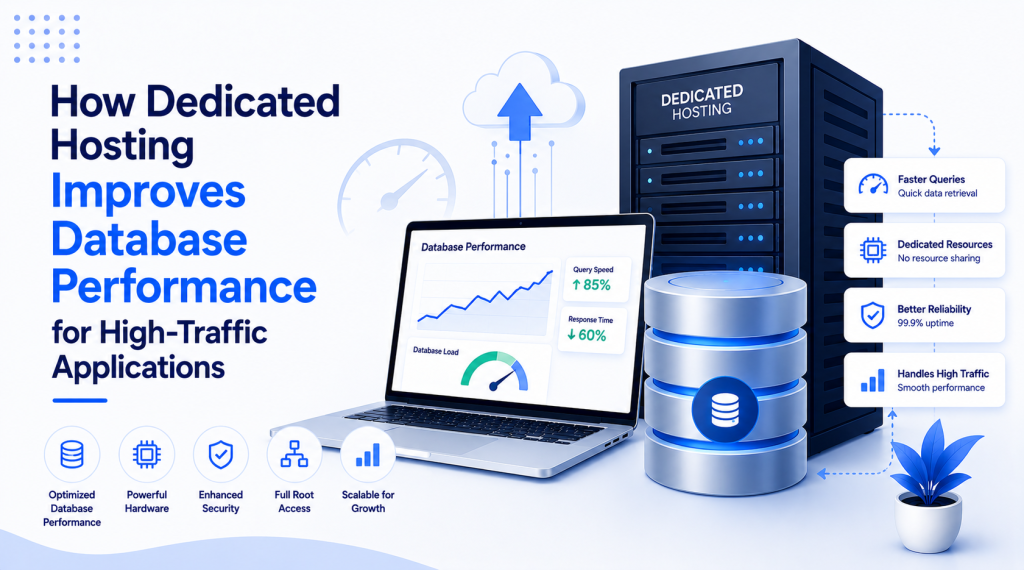
A dedicated server hands CPU cores, RAM, and storage over to one workload, no sharing involved. That means MySQL, PostgreSQL, or MongoDB (whatever’s running underneath) finally gets to use memory for buffer pools and query caching without fighting anything else for it. In practice, this approach often reduces response times noticeably for queries that involve complex joins across large tables.
NVMe storage builds on that further. Databases generate a constant stream of random reads and writes, and that’s precisely the pattern where NVMe pulls ahead of traditional SSDs or spinning disks by a wide margin. Teams handling real-time inventory or session data tend to notice the difference within days of switching over.
Handling Concurrent Connections
High-traffic apps can throw hundreds, sometimes thousands, of simultaneous database connections at a server during peak hours. Shared hosting usually caps connections, making it difficult to protect the rest of the infrastructure, which means your app ends up queuing requests or dropping them outright when it can least afford to.
Move to dedicated infrastructure, and those artificial caps disappear. Connection pooling gets set based on what the application actually needs, not on someone else’s shared-tenancy rulebook. That flexibility matters most during a flash sale or a launch, the exact moments when the database can’t afford to buckle.
Getting the Configuration Right
A few configuration choices make the difference between a dedicated setup that performs and one that underdelivers.
- Size the buffer pool to make optimal use of available RAM
- Turn on query caching selectively for read-heavy workloads with predictable access patterns
- Set connection pool limits around real peak concurrency, not guesswork
- Review slow query logs regularly before inefficient joins stack up.
- Split reads and writes across replicas once transaction volume justifies it
If you skip this tuning step, you may miss out on significant performance improvements, even with upgraded hardware. Teams that treat the process as a one-time setup rather than something to revisit tend to watch the same old bottlenecks resurface within a few months.
What the Numbers Actually Look Like
Query response time is usually the clearest sign of whether dedicated hosting solved the underlying problem or just moved it. It’s common to see standard queries drop from a few hundred milliseconds down to under fifty after a move from shared to dedicated infrastructure, though the exact numbers depend a lot on query complexity and how much data is involved.
Throughput tells a similar story. A database that struggled to handle a few hundred concurrent connections on shared hosting can often manage several thousand once it’s properly configured on dedicated infrastructure, assuming the schema and indexing were sound to begin with. Better hardware won’t resolve a poorly indexed table on its own, but it does remove the resource limit that was making the problem worse.
MilesWeb’s dedicated hosting plans come with performance monitoring built in, so these configuration gaps are detected and caught early, well before they turn into a customer-facing slowdown in the middle of a traffic surge.
Concluding Insights
Database performance under real load involves more than just query optimization. The infrastructure underneath sets the limit that every other tuning effort has to work within. Dedicated resources take the shared-tenancy variables out of the equation, giving administrators something stable to actually build on.
MilesWeb complements its offerings with free professional email accounts and daily backups alongside its dedicated server plans, covering the parts of a growing application’s infrastructure that fall outside database performance alone. Get the hardware layer right first, and everything you build on top of it just works the way it’s supposed to.